Help Center
Go back to Application
Help Center
Go back to Application
Onboarding Process
Five Tips for a Smooth JobFlow ImplementationBrowser and Device RequirementsAdding a New UserCreating an Individual Customer and Link a SiteUnderstanding Item Codes and GL/Account Codes
MYOB Integration
Connecting to MYOBLinking Customers to MYOBHow to obtain an Address List of Customers in MYOBExporting Customers and Inventory from MYOBExporting from MYOBInvoicing to MYOB
Xero Integration
Xero Invoicing Settings Set UpConnecting JobFlow to XeroXero Integration in JobFlow
Jobs
Anatomy of the Job Page - Part 1 (Job Details)Anatomy of the Job Page - Part 2 (Tasks)Anatomy of the Job Page - Part 3 (Products and Summary) Ways to Create a JobEnabling Spray and Spread RecordingAdding File Attachments to JobsHow to Use the Calendar Based SchedulerUsing TimesheetsJob Statuses ExplainedScheduling Jobs
Dockets
Understanding the Dockets SystemHow To Setup Docket TemplatesHow do Drivers Create DocketsAdding Dockets to a New or Existing Job
Mobile App User Guide
Quick Start TipsGetting StartedSimple JobsSpecific WorkflowsDocketsTimesheetsTeam Leader Tools & Permissions

Specific Workflows

Spraying and Spreading

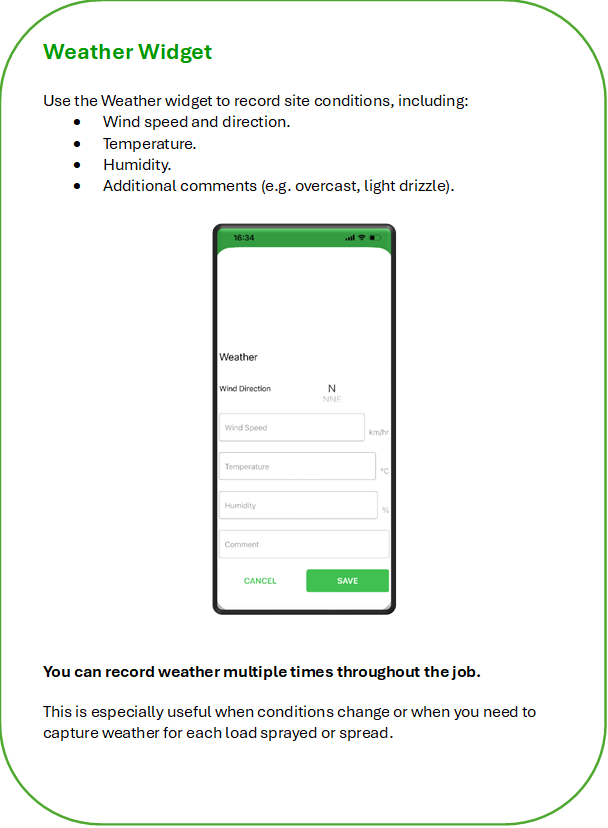
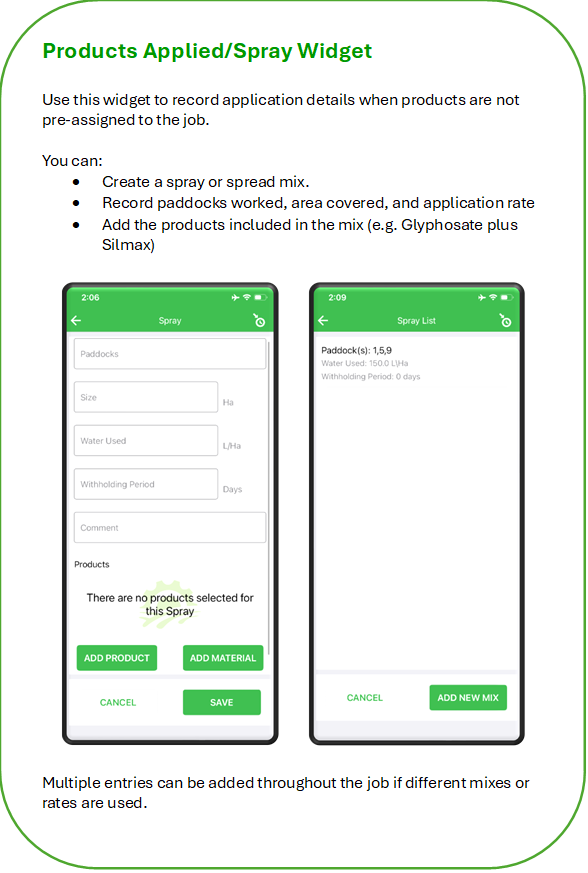
For Spraying or Spreading jobs, additional information must be recorded. These tools help you capture accurate weather conditions, application details, and chemical usage.

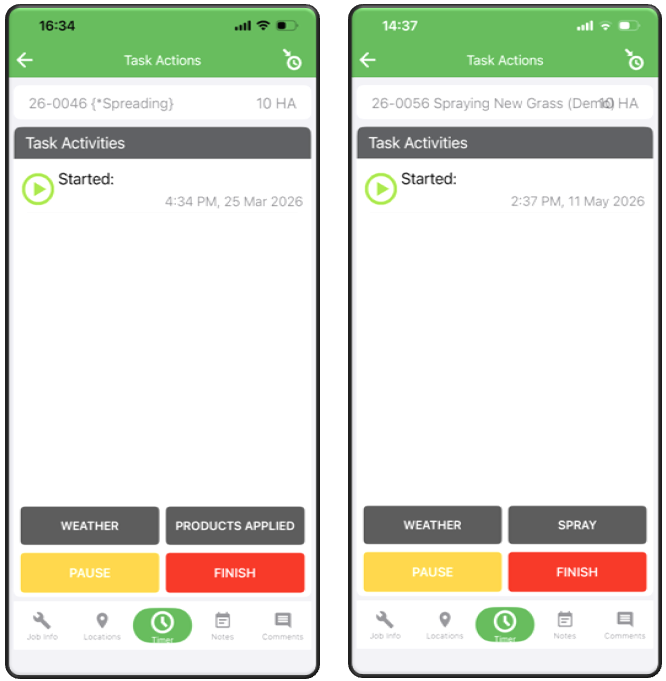
The Weather and either Products Applied or Spray bars will appear on the Timer screen. Tap either bar to open the relevant section.
Was this article helpful?

Powered by Product Fruits