
Anatomy of the Job Page - Part 3 (Products and Summary)
Describers the products and reporting area on the job page
Services, Materials, and Products are created in Settings → Stock.
They can be added to a job before work begins or entered by the operator on the mobile app during the job.
If added before work begins:
- Materials and Products appear on the operator’s mobile for quantity entry
- Estimated values also display on mobile
If not added in advance:
- Operators can still add Products manually during the job
Note: Services, Materials, and Products can be set to Unbilled, allowing usage data to be collected without appearing on the invoice.
Services and Materials

- Services are typically items charged at a set rate for the job
- They may also represent non‑physical items (e.g., Weighbridge hire)
- Materials behave similarly but are generally physical items used during the job
- Both are created and managed in Settings → Stock
- If added before work begins, they appear on the operator’s mobile for quantity entry
- If set to Unbilled, they will not appear on the invoice but usage will still be recorded
Products
- Products can be bought or sold.
Products marked as bought will show as a negative $ on the invoice
- Products can be added before work begins or entered manually by the operator during the job
- Estimated values display on mobile and can be overwritten with actuals
Job Summary
The Job Summary appears at the bottom of the Job Page and provides four preview options.
These previews help you verify estimates, billing, and physicals before invoicing.

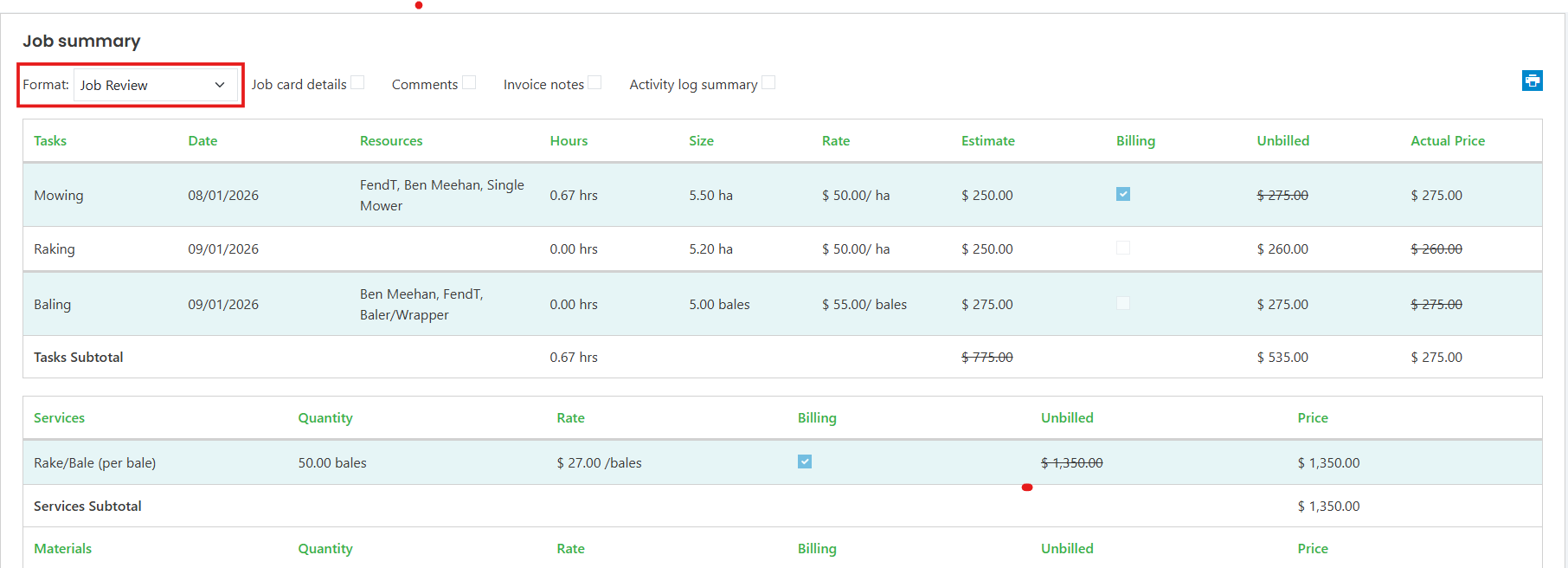
Job Review
A general‑purpose overview showing:
- Tasks
- Products, Materials, and Services
- Loads entered against cartage tasks (one line per task)
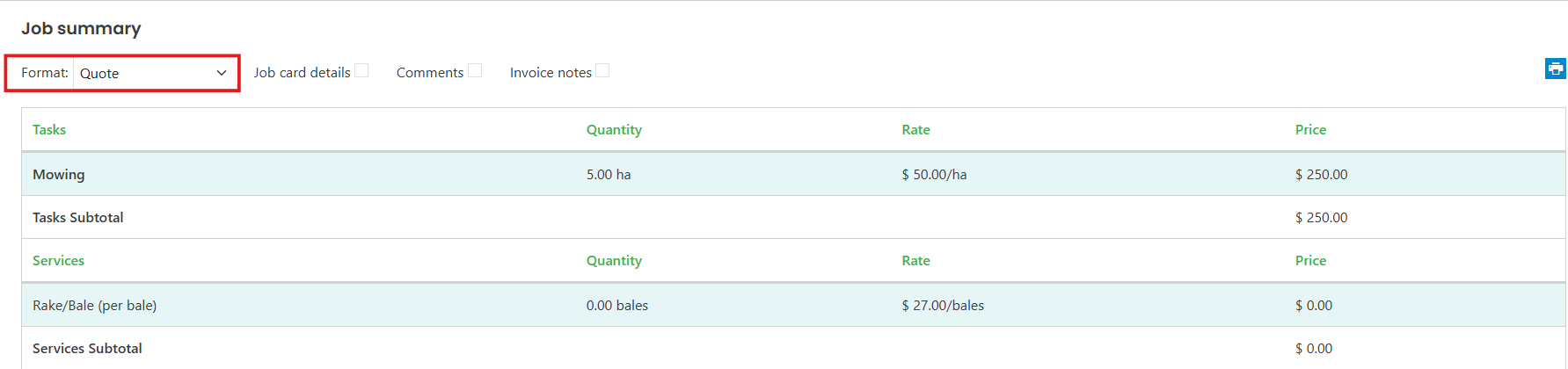
Quote
- Shows estimates only
- Useful for checking pricing before work begins
Billing Preview
- Shows what will appear on the invoice.
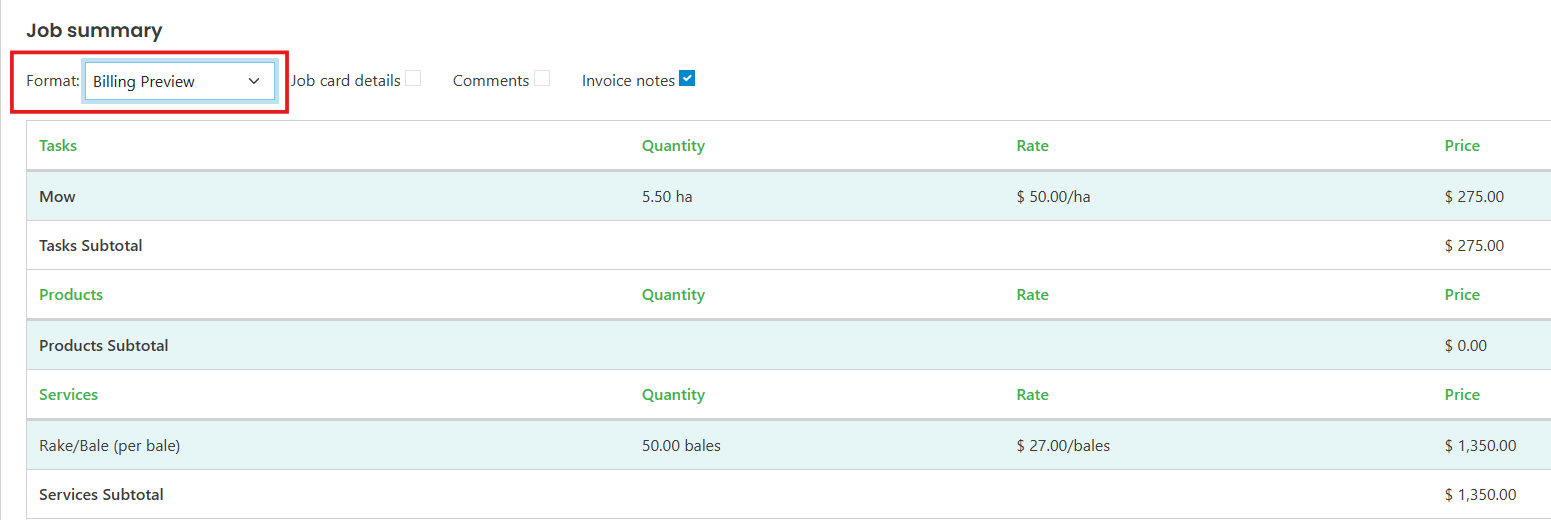
- Only billed lines are included.
- Invoice layout options (order of blocks, combining duplicate lines) are controlled in Invoice Settings.
Job Review Physicals
- Shows physical data collected (hours, quantities, logs)
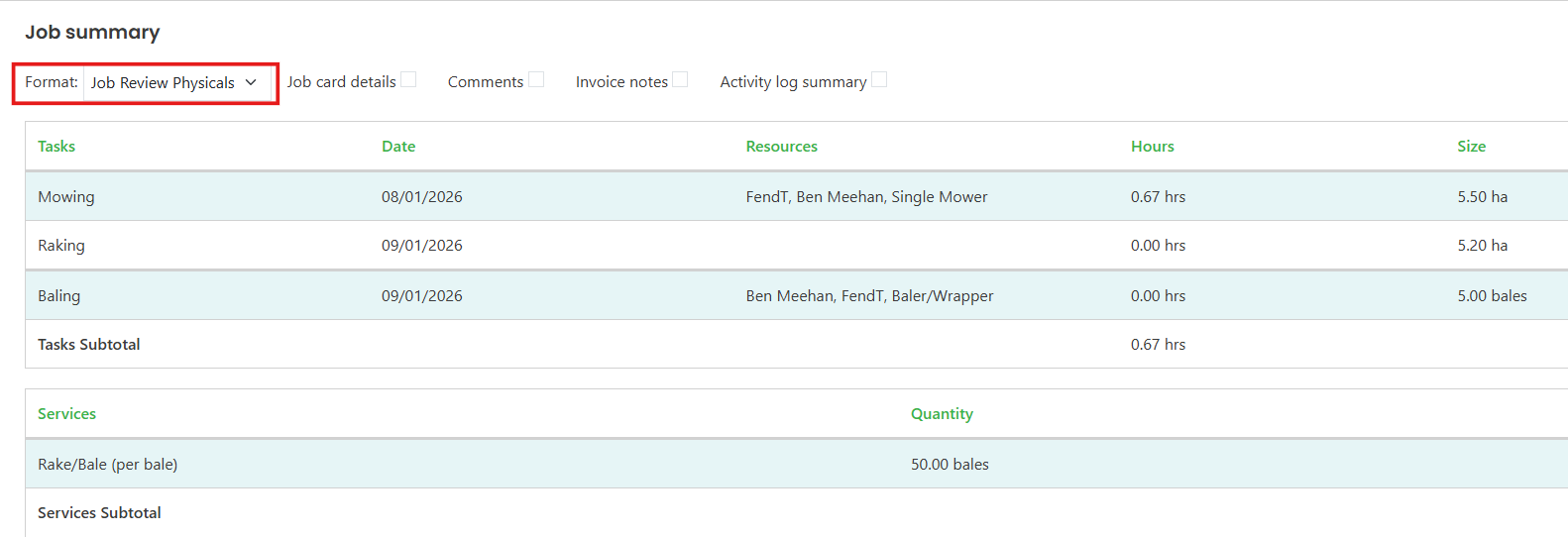
- No charging information is displayed
- Useful for verifying operator entries before invoicing
Additional Report Options
Each report includes optional add‑ons:
- Comments: Adds job comments to the report.
- Activity Log Summary: Provides a summary of mobile activity log events.