
Health and Safety Messages
Ensuring compliance and field awareness.
Health and Safety Messages allow you to display important safety instructions to operators before they begin work. These messages appear in the Mobile App and must be acknowledged before a task can start.
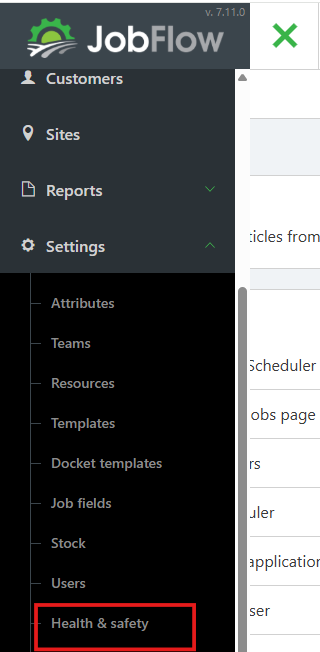
Open Settings
- Open the Hamburger Menu (top‑left corner)
- Select Settings
- Click on Health and Safety.
Add a Safety Message
- Click Add H&S Message, (bottom left)

- Type your Health and Safety message in the pop‑up box
- Examples: PPE requirements, hazard alerts
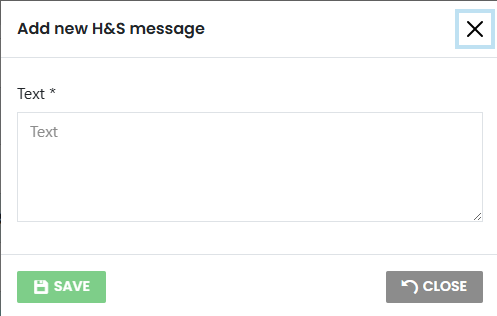
- Click Save
Manage Messages
You can maintain your list of safety messages by:
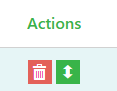
- Rearrange messages to control display order
- Delete messages if no longer relevant
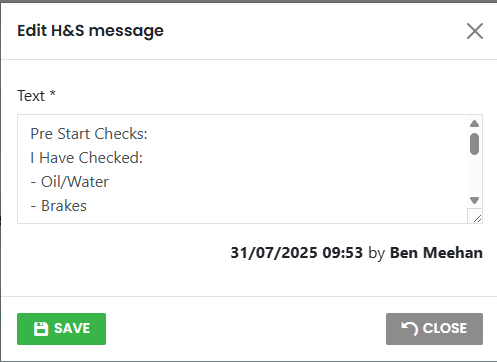
- Clicking a message to edit and keep it up to date
How It Works for Drivers
When a driver opens the Mobile App and starts a task:
- The Health and Safety message appears on screen
- The driver must tap Agree before proceeding
- This ensures they have acknowledged the safety instructions before beginning work